The Product Catalog
The Product Catalog is where you browse, search, and add products to your purchase requests.
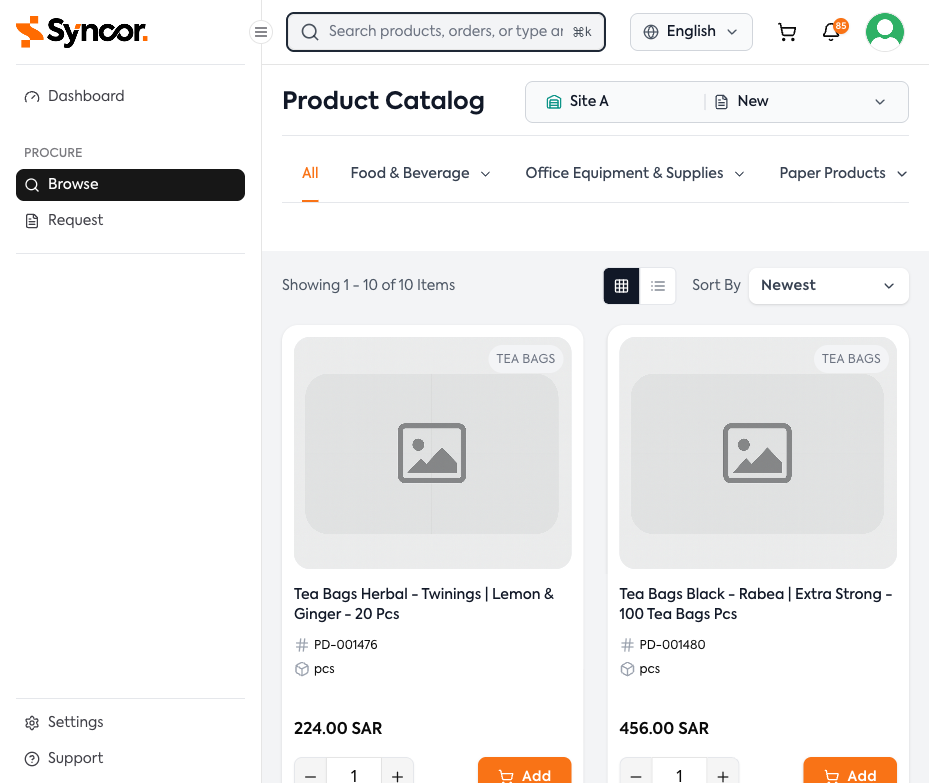
Accessing the Catalog
Click Browse in the sidebar, or use Cmd+K / Ctrl+K to search from anywhere.
Site and Contract Selector
At the top of the catalog, a Site/Contract selector shows your current site and contract. If you belong to multiple sites, click the selector to switch. Available products may differ by site and contract.
Navigating Categories
Products are organized into a hierarchical category tree displayed as horizontal tabs.
- All — Shows all products across categories
- Category tabs (e.g., "Food & Beverage", "Office Equipment & Supplies")
Hover over or click a tab with a chevron (▼) to reveal subcategories. When browsing within a category, breadcrumb navigation appears showing your position in the hierarchy:
Food & Beverage > Coffee & Tea > Tea Bags
Click any breadcrumb segment to navigate back to that level.